- Lançamento original
- Episódio anterior S01E3135 - MAN vs UNTURNED - E07 - Prison Break!! -…
- Número S01E3136
-
Links externos
Página de YouTube
-
Última atualização
24 août 2025 - 13:54
em 11 bancos de dados
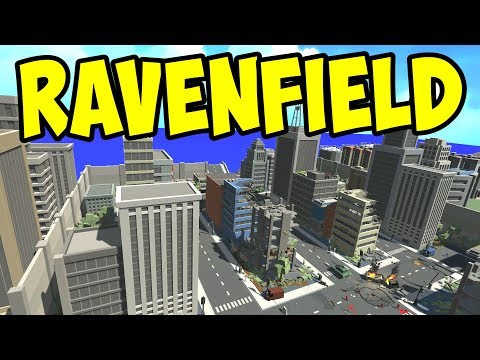
Ravenfield - NEW CITY MAP! URBAN COMBAT! - Let's Play Ravenfield Gameplay
Let's play Ravenfield! In this episode, we play on a new custom CITY MAP, Baneburg, using the latest beta branch test build!
► Leave a LIKE if you enjoy!
► Ravenfield playlist: https://goo.gl/pXdVzQ
► Subscribe for more! http://goo.gl/unW7V8
► Twitter: http://twitter.com/paulsoaresjr
Ravenfield Early Access: https://goo.gl/DvPMua
Ravenfield Beta 5: https://steelraven7.itch.io/ravenfield
To opt-in to Ravenfield Beta Branch:
1. Right-click "Ravenfield" in Steam Library
2. Choose "Properties" from the menu
3. Click the "Betas" tab on the Properties window
4. Select "Beta branch" in the drop down list
5. Close the Properties window and Steam will download the Beta Branch!
How to install custom maps:
1. Join the Ravenfield discord (https://goo.gl/dJxWb3)
2. Download maps from #playable-maps channel
3. Use Steam to find the Local Files of Ravenfield
4. Create new folder named "levels" in Ravenfield folder
5. Copy the .rfl map files to new "levels" folder
6. Custom map should be listed with the official maps in-game
Baneburg map by j0hnbane: https://goo.gl/M2Hpzi
About Ravenfield:
Ravenfield is a singleplayer battlefield style game for PC. It started out as an experiment with ragdoll physics and AI, and will remain a slightly experimental, for-fun game project.
Outro art by Kazzr & Kong: https://goo.gl/Rx4NZa
Outro track is "There It Is" by Kevin Macleod (http://incompetech.com)
Background tracks by:
Secession Studios: http://www.youtube.com/thesecession
Kevin Macleod @ http://incompetech.com/music/
Machinima Sound: https://machinimasound.com/